Category: AI Writing Tools

  • LinkedIn Post Rewriter: Better Professional Posts

    LinkedIn Post Rewriter: Better Professional Posts

    Your LinkedIn post is almost there. The point is useful, but the opening line takes too long. In the middle, the draft starts to sound like a status report. By the end, the reader has nothing clear to remember. That is when a LinkedIn post rewriter helps.

    A good rewrite does not turn your post into fake thought leadership. It keeps the idea and makes the writing clearer, shorter, and more natural for a professional feed.
    TextPilot.ai LinkedIn post rewriter thumbnail showing clearer professional post edits in the browser.

    LinkedIn post rewriter workflow for clearer posts

    LinkedIn’s help center explains that members can post from the share box and should follow its user agreement and Professional Community Policies. That is the basic publishing step. The harder part is writing a post that sounds like you and gives the reader a clear point.

    The TextPilot.ai rewrite tool helps when the idea is right but the structure, tone, or rhythm needs work. Use the Chrome extension when you want to improve the post in the same browser flow where you are drafting.

    1. Rewrite the opening so it starts with the point

    Weak opening:

    I have been thinking a lot recently about the importance of communication in the workplace.

    Better:

    A vague handoff can cost a team an extra day.

    The better opening is specific. It gives the reader a real problem instead of a broad theme.

    2. Cut the parts that sound like a report

    LinkedIn posts often get dull when they read like internal updates.

    Before:

    We completed the first version of the project documentation and reviewed it with the team. We also made updates based on the feedback and prepared the final version for approval.

    Better:

    We learned that project docs are only useful when the next person can act on them without asking three follow-up questions.

    The rewrite turns an activity log into a useful takeaway.

    3. Keep the voice professional without becoming stiff

    Too stiff:

    I am pleased to announce that I have successfully completed a highly valuable professional development experience.

    Better:

    I finished a course this week that changed how I think about client updates.

    The better version sounds more human. It also sets up a specific lesson.

    If the post sounds too polished or generic, use the TextPilot.ai Humanizer after rewriting. For examples, read AI Humanizer for Work.

    4. Paraphrase without changing the lesson

    Sometimes the post has the right point, but the wording feels heavy.

    Original:

    Teams can improve the efficiency of collaboration by ensuring that all relevant details are communicated clearly and consistently.

    Paraphrase:

    Teams work faster when the handoff includes the details people need to act.

    The TextPilot.ai paraphrasing tool is useful here because the meaning stays the same while the wording gets cleaner.

    For more examples, read Paraphrasing Tool for Work.

    5. Add one concrete example

    Generic posts are easy to ignore.

    Weak:

    Clear communication is important for success.

    Better:

    Last week, one missing deadline note created four extra Slack messages. Now our handoffs include owner, due date, blocker, and next step.

    The second version gives the reader a small scene and a usable takeaway.

    Google’s helpful-content guidance focuses on people-first content. That principle works for LinkedIn too. If the post helps the reader understand or use the idea, it is stronger.

    6. Fix grammar after the rewrite

    Do not grammar-check too early. First, fix the point, structure, and tone. Then use the TextPilot.ai grammar checker for small issues.

    Check:

    • punctuation
    • tense
    • repeated words
    • sentence fragments
    • unclear pronouns
    • missing articles

    This matters more when the post is tied to your professional reputation.

    7. Review before posting

    A rewritten LinkedIn post still needs judgment.

    Before sharing, ask:

    • Is the claim true?
    • Did the rewrite keep the original meaning?
    • Does the example reveal anything private?
    • Is the tone right for your audience?
    • Does the ending give the reader a clear takeaway?

    TextPilot.ai can help you rewrite, paraphrase, humanize, and grammar-check posts inside your browser workflow. Try TextPilot.ai when a LinkedIn draft has a good idea but needs a cleaner version before you publish.

    For broader browser workflows, read AI Writing Assistant for Chrome.

    FAQ

    What is a LinkedIn post rewriter?

    A LinkedIn post rewriter helps improve a draft post by making it clearer, shorter, more natural, and better structured while keeping the original idea.

    Can I use AI to rewrite LinkedIn posts?

    Yes. Use AI as an editing helper, then review the final post for accuracy, privacy, tone, and whether it still sounds like something you would share.

    Should I rewrite or paraphrase a LinkedIn post?

    Rewrite when the structure or tone needs work. Paraphrase when the idea is right but the wording needs a cleaner version.
  • AI Humanizer for Work: Better Email and Post Edits

    AI Humanizer for Work: Better Email and Post Edits

    The draft says the right thing, but nobody on your team would write it that way. Every sentence is clean. The tone is polite. Still, the message sounds like a template. That is when an AI humanizer for work can help.

    The goal is not to trick anyone or hide the process. The goal is to turn stiff AI-assisted wording into writing that sounds specific, useful, and appropriate for the person reading it.

    TextPilot.ai AI humanizer for work thumbnail showing email and post edits that make AI-assisted writing sound natural.

    AI humanizer for work edits that keep the meaning intact

    The TextPilot.ai Humanizer helps smooth robotic phrasing, improve flow, and keep the message intact. That last part matters. A humanized version should not add facts, remove conditions, or change a promise.

    Google’s guidance on helpful content focuses on useful writing made for people, not content created mainly to manipulate search results. The same principle applies to work writing. A better draft should help the reader understand the message faster.

    1. Replace formal filler with the actual point

    Robotic draft:

    I am writing to express my sincere appreciation for the opportunity to engage in a productive discussion regarding the proposed project timeline.

    Better:

    Thank you for taking the time to discuss the project timeline with me. The conversation helped clarify the next steps.

    The better version sounds professional without the extra ceremony. It also names the useful outcome: clearer next steps.

    2. Add the missing context

    AI-assisted text often sounds generic because it avoids the detail that makes the message real.

    Robotic draft:

    This solution will improve communication and create better results for the team.

    Better:

    This will help the support team answer billing questions faster because the policy notes will be in one place.

    Specifics make the writing more believable. They also make it more useful.

    3. Break the same sentence rhythm

    Flat rhythm is a common reason AI writing feels unnatural.

    Before:

    The update is complete. The team reviewed the changes. The final version is ready for approval.

    Better:

    The update is complete, and the team has reviewed the changes. The final version is ready for approval.

    The edit is small. It combines one idea, keeps one short sentence, and makes the rhythm less mechanical.

    4. Make email tone fit the relationship

    A client email should not sound like a legal notice. A teammate update should not sound like a press release.

    Too stiff:

    Kindly be advised that the document has been revised in accordance with your feedback.

    Better:

    I updated the document based on your feedback. Please let me know if the new version works for you.

    That version is direct, natural, and easy to answer.

    For more grammar and tone checks, read Grammar Checker for Non-Native English.

    5. Humanize posts without adding hype

    A LinkedIn or blog draft can sound robotic when it makes a broad claim without a real example.

    Weak post line:

    Effective communication is essential for success in every business environment.

    Better:

    A vague handoff can cost a team an extra day. A clear one tells the next person what changed, what is blocked, and what needs approval.

    The second version gives the reader something they can recognize.

    6. Use detector results carefully

    The TextPilot.ai AI Detector can help you review whether a draft looks AI-written. Treat that result as a signal, not proof.

    If a section gets flagged, ask better editing questions:

    • Is the wording too broad?
    • Does every sentence have the same rhythm?
    • Are there real examples?
    • Does the tone match the situation?
    • Did the edit keep the original meaning?

    For more detail, read Humanizer vs AI Detector and AI Detector for Writing.

    7. Run a final grammar pass

    Humanizing can improve tone, but the final draft still needs proofreading.

    Use the TextPilot.ai grammar checker after the humanizer to catch small mistakes in:

    • punctuation
    • spelling
    • tense
    • articles
    • repeated words
    • missing words

    If the sentence structure is still hard to follow, use the rewrite tool before the grammar pass.

    A safe workflow for humanizing work text

    Use this workflow when a draft sounds too AI-written:

    1. Read the original for meaning.
    2. Highlight the sections that sound generic.
    3. Humanize for natural wording.
    4. Compare the result with the original.
    5. Remove any added claims or changed promises.
    6. Run a grammar check.
    7. Read the final version as the recipient.

    TextPilot.ai can help you humanize, rewrite, check, and polish AI-assisted work writing inside the browser. Try TextPilot.ai when an email, post, bio, or report has the right idea but needs to sound more natural before you send it.

    FAQ

    What is an AI humanizer for work?

    An AI humanizer for work edits AI-assisted writing so it sounds more natural, specific, and appropriate for workplace messages.

    Can an AI humanizer change the meaning?

    Yes. Always compare the humanized draft with the original so facts, dates, names, promises, and conditions stay accurate.

    Is an AI humanizer the same as an AI detector?

    No. A detector reviews AI-writing signals. A humanizer edits wording, rhythm, and tone so the draft reads more naturally.

  • TextPilot.ai vs Wordtune: Better Browser Writing

    TextPilot.ai vs Wordtune: Better Browser Writing

    You highlight a sentence in a client email because it sounds stiff. The facts are right, but the tone is off. A tool that gives five polished alternatives may help. A tool that works inside your browser tab may help even more. That is the real choice behind TextPilot.ai vs Wordtune.

    Both products help people rewrite and improve text. This comparison includes TextPilot.ai, our product, so use it as a practical workflow guide rather than a lab ranking. The better fit depends on where you write and how much writing support you want around each draft.

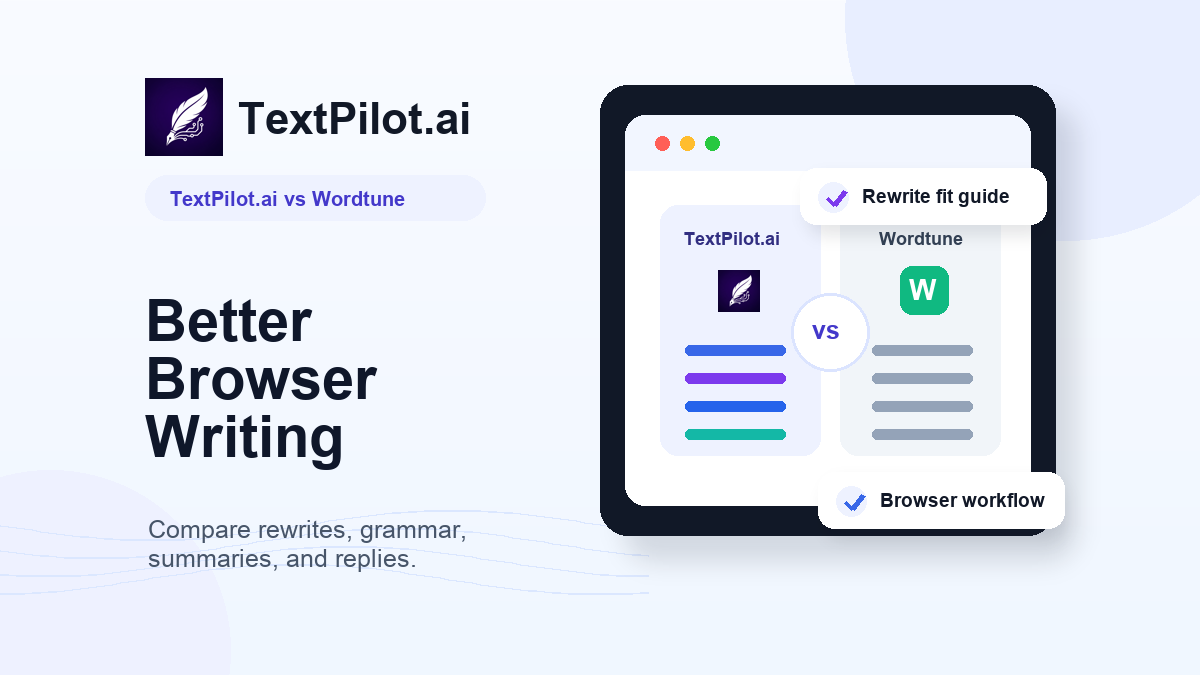
    TextPilot.ai vs Wordtune comparison thumbnail for browser writing, rewrites, grammar, summaries, and replies.

    TextPilot.ai vs Wordtune for browser writing

    Wordtune describes itself as a free AI writer that can paraphrase, rewrite, correct grammar, and more. Its rewrite page also highlights tone changes, shortening, expanding, humanizing AI text, summaries, grammar checks, and AI writing.

    TextPilot.ai is narrower by design. It focuses on browser writing: rewriting, paraphrasing, grammar fixes, summaries, Smart Reply, and email writing inside everyday tabs like Gmail, LinkedIn, Google Docs, reports, forms, and web text boxes.

    That difference matters because most work writing does not start in a clean writing app. It starts inside a reply box, a comment field, a support ticket, or a document you are already editing.

    Quick comparison

    Need TextPilot.ai fit Wordtune fit
    Rewrite text inside browser workflows Strong fit Strong fit
    Explore several polished rewrite options Good fit Strong fit
    Paraphrase work messages without changing meaning Strong fit Strong fit
    Grammar and spelling cleanup Strong fit Strong fit
    Summarize long pasted text before replying Strong fit Strong fit
    Smart email replies with context Strong fit Good fit
    Broad AI writing and tone exploration Good fit Strong fit

    Where TextPilot.ai fits better

    TextPilot.ai is the better fit when your writing problem happens inside the browser and you want a quick edit without moving the whole draft somewhere else.

    Use TextPilot.ai when you need to:

    • rewrite one sharp sentence before sending an email
    • paraphrase a paragraph while keeping the meaning
    • run a grammar pass on a work update
    • summarize a long pasted message before replying
    • use Smart Reply to answer with context
    • improve text inside Gmail, LinkedIn, Docs, reports, and browser forms

    For example, a draft might say:

    We need this completed today because the client is waiting.

    A cleaner version:

    Could you finish this today? The client is waiting for the update.

    The TextPilot.ai rewrite tool helps with this kind of small but important edit. Use the grammar checker after the wording is clear.

    For more browser examples, read AI Writing Assistant for Chrome.

    Where Wordtune does better

    Wordtune does better when you want a polished rewriting environment with many phrasing directions.

    Its rewrite page emphasizes choices like formal, casual, shorten, expand, and tone changes. That is useful when the sentence is not wrong, but you want to compare several ways to say it. Wordtune also presents a broader AI writing experience around rewriting, grammar, summaries, humanizing, and content generation.

    If your main task is exploring wording options until the sentence feels right, Wordtune may feel more flexible.

    Rewriting vs daily reply workflow

    The difference is not only feature lists. It is the workflow.

    Wordtune is strong when the main job is improving wording. You paste or highlight text, review suggestions, and choose the version that best matches your voice.

    TextPilot.ai is strong when rewriting is one step in a daily work message. You may summarize the email, draft a reply, rewrite one sentence, then check grammar before sending. That chain matters in Gmail, LinkedIn, Docs, and support tools.

    For a related comparison, read TextPilot.ai vs QuillBot.

    Which tool should you choose?

    Pick TextPilot.ai if you want a focused browser writing assistant for work emails, replies, updates, posts, reports, and text fields.

    Choose Wordtune if you want a broader rewriting experience with strong tone and phrasing exploration.

    Choose neither blindly. AI writing tools can produce wording that sounds clean but changes the promise, softens the urgency too much, or adds a detail you did not mean. Always check the final text for facts, tone, names, dates, and source material.

    TextPilot.ai can help you rewrite, paraphrase, summarize, grammar-check, and reply inside your browser writing workflow. Try TextPilot.ai when a work message needs clearer wording before a real person reads it.

    For practical examples, read Paraphrasing Tool for Work.

    FAQ

    Is TextPilot.ai a Wordtune alternative?

    Yes. TextPilot.ai can be a Wordtune alternative for people who want browser writing help with rewriting, paraphrasing, grammar, summaries, and email replies.

    Is Wordtune better than TextPilot.ai?

    Wordtune is stronger for exploring many polished rewrite options. TextPilot.ai is stronger when you want a focused browser workflow for daily work messages.

    Can both tools rewrite professional emails?

    Yes. Both can help improve professional emails. Review the final message so the meaning, tone, deadline, and next step stay accurate.

  • TextPilot.ai vs QuillBot: Better Browser Writing

    TextPilot.ai vs QuillBot: Better Browser Writing

    You are halfway through a client reply when the sentence starts to feel heavy. A blank-page writing tool is not the problem. What you need is a cleaner version of the sentence, a grammar check, or a short summary of the email thread before you answer. That is the practical question behind TextPilot.ai vs QuillBot.

    Both tools can help with writing. This comparison includes TextPilot.ai, our product, so it should be read as a practical fit guide rather than a neutral lab test. The right choice depends on where you write and what kind of help you need most.

    TextPilot.ai vs QuillBot comparison thumbnail for browser writing, paraphrasing, grammar, and replies.

    TextPilot.ai vs QuillBot for daily browser writing

    QuillBot presents itself as a broad AI writing and creation suite. Its current site lists tools for paraphrasing, grammar, AI detection, plagiarism checking, humanizing, translation, summarizing, citations, PDF work, apps, and extensions.

    TextPilot.ai is more focused. It is built around browser writing workflows: paraphrasing, rewriting, grammar fixes, summaries, Smart Reply, and email writing inside the places where people already write.

    That difference matters if most of your work happens in Gmail, LinkedIn, Google Docs, support dashboards, reports, forms, and browser text boxes.

    Quick comparison

    Need TextPilot.ai fit QuillBot fit
    Rewrite work messages in the browser Strong fit Good fit
    Paraphrase text with many tool options Good fit Strong fit
    Draft or improve email replies Strong fit Good fit
    Grammar and spelling cleanup Strong fit Strong fit
    Summarize pasted long text Strong fit Strong fit
    Citations, PDFs, and broad creation tools Limited fit Strong fit
    Focused Chrome writing workflow Strong fit Good fit

    Where TextPilot.ai fits better

    TextPilot.ai is the better fit when you want a focused writing helper for daily browser text.

    Use it when you need to:

    • rewrite a rough email before sending
    • paraphrase a paragraph without changing the meaning
    • fix grammar in a LinkedIn post
    • summarize a long email before replying
    • use Smart Reply to answer with context
    • improve text in browser fields without moving everything into a separate workspace

    For example, if a client reply sounds too blunt, you can use the TextPilot.ai rewrite tool to make it clearer. If the wording is already right but awkward, use the paraphrasing tool. If the draft is almost ready, use the grammar checker.

    For a practical example, read Paraphrasing Tool for Work.

    Where QuillBot does better

    QuillBot does better when you want a larger writing suite with more tool categories in one place.

    Its current site includes writing tools, originality tools, creation tools, image tools, PDF tools, file converters, browser extensions, and app links. That range is useful if you want one account for paraphrasing, citations, PDFs, translation, presentation-style creation, and broader content work.

    QuillBot is also strongly associated with paraphrasing. If your main workflow is trying many paraphrase variations, it may feel more familiar.

    Paraphrasing: same goal, different workflow

    Both tools can help you restate text.

    TextPilot.ai works well when paraphrasing is part of a work message:

    Original: We cannot continue until your team provides approval.

    Better: We can move forward once your team sends approval.

    The focus is clear wording without changing the point.

    QuillBot is a good fit when paraphrasing is the main task and you want a broader paraphrasing environment. That may matter for users who spend a lot of time restating paragraphs, checking options, or working across more formal writing tasks.

    For the difference between rewriting, paraphrasing, and summarizing, read Paraphrase vs Summarize.

    Grammar, summaries, and replies

    TextPilot.ai is useful when small writing tasks happen together.

    Example workflow:

    1. Summarize a long client email with the summarizer.
    2. Draft a response with Smart Reply.
    3. Rewrite one stiff sentence.
    4. Run a final grammar check before sending.

    That workflow is common in daily work. You are not creating a large document. You are cleaning up one message at a time.

    QuillBot also covers grammar, summaries, and originality checks. Its advantage is breadth. TextPilot.ai’s advantage is a tighter browser-writing workflow.

    Which one should you choose?

    Choose TextPilot.ai if you mostly write in browser tabs and want help with emails, posts, reports, replies, and everyday messages.

    Choose QuillBot if you want a broader writing suite with more creation, citation, PDF, translation, and app-related tools.

    Neither tool removes the need to review the final text. Check names, dates, promises, source material, and tone before sending or publishing.

    Try TextPilot.ai if your main problem is browser writing: rough sentences, unclear replies, long pasted text, and messages that need a cleaner version before they reach a real person.

    For related workflows, read AI Writing Assistant for Chrome.

    FAQ

    Is TextPilot.ai a QuillBot alternative?

    Yes, TextPilot.ai can be a QuillBot alternative for people who want browser writing help with rewriting, paraphrasing, grammar, summaries, and email replies.

    Is QuillBot better than TextPilot.ai?

    QuillBot is broader. TextPilot.ai is more focused on browser writing workflows. The better choice depends on whether you want a large writing suite or a practical writing helper for daily tabs.

    Can both tools paraphrase work writing?

    Yes. Both can help restate text. Review the result to make sure the meaning, tone, and facts still match the original.

  • Paraphrasing Tool for Work: 7 Better Examples

    Paraphrasing Tool for Work: 7 Better Examples

    The sentence says what you mean, but it sounds clumsy. You do not need a new idea. You need the same idea in cleaner words before it goes into an email, report, Slack update, or LinkedIn post. That is where a paraphrasing tool for work helps.

    The goal is not to make work writing fancy. The goal is to keep the meaning accurate while making the wording easier to read, easier to answer, and safer to send.

    TextPilot.ai paraphrasing tool for work thumbnail showing clearer workplace writing examples.

    Paraphrasing tool for work examples that keep meaning clear

    The TextPilot.ai paraphrasing tool is useful when the message is already true but the wording needs a fresh structure. It is different from summarizing. A summary removes detail. A paraphrase keeps the full point in different words.

    Purdue OWL explains that paraphrasing means using your own words while still crediting outside source material when needed. That rule matters at work too. If the idea came from a report, client brief, article, or policy, do not make it look like your own original claim.

    1. Make a blunt email sound professional

    Before:

    You still have not sent the file, and I need it now.

    Better:

    Could you send the file today? I need it for the client review.

    The second version keeps the same request. It removes the accusation and gives the reader a reason.

    If the whole email needs a clearer ask, use the TextPilot.ai rewrite tool after paraphrasing the sharp sentence.

    2. Turn a long sentence into a clearer update

    Before:

    We are still reviewing the final section because there are a few comments from legal that need to be checked before we can send the document.

    Better:

    We are reviewing the final section now. Legal left a few comments we need to check before sending the document.

    The paraphrase does not change the status. It splits the idea so the update is easier to scan.

    For more structure examples, read AI Paragraph Rewriter.

    3. Rephrase a Slack message before it sounds rushed

    Before:

    I thought this was already done. Why are we still waiting?

    Better:

    I thought this was complete. What still needs to happen before we can move forward?

    The better version asks for the missing information without turning the message into blame.

    4. Restate a report note in plain English

    Before:

    The current implementation may introduce operational friction for users who need to complete the process under time-sensitive conditions.

    Better:

    The current setup may slow down users who need to finish the task quickly.

    Work writing often hides simple ideas inside heavy wording. A paraphrase can keep the point and remove the fog.

    5. Rework a LinkedIn post without changing the point

    Before:

    One thing I have noticed is that many teams make communication harder than it needs to be by adding more meetings instead of making the written update clearer.

    Better:

    Many teams add meetings when the real fix is clearer written updates.

    The paraphrase is shorter, but it still makes the same point. This is useful when a post has the right idea but the opening line feels slow.

    6. Paraphrase source material responsibly

    If you are using information from another source, do more than swap words. Change the structure, keep the meaning accurate, and cite the source when the idea is not yours.

    Weak paraphrase:

    Helpful content should benefit people and not be written to manipulate search rankings.

    Better:

    Google’s guidance focuses on content that serves readers first, rather than content made mainly to influence search results.

    That better version still needs a source link if you use it in a public article or report. Google’s helpful-content guidance is the source of the idea.

    7. Check the final version before sending

    A paraphrasing tool can change tone, rhythm, and structure. It can also make a sentence too broad if you do not review it.

    Before sending, check:

    • Did the meaning stay the same?
    • Did any date, number, name, or promise change?
    • Does the tone fit the reader?
    • Is the source credited when needed?
    • Are there small grammar mistakes left?

    Run a final pass with the TextPilot.ai grammar checker after the wording is clear.

    A simple workflow for workplace paraphrasing

    Use this workflow when you need cleaner wording:

    1. Paste the sentence or paragraph.
    2. Say where it will be used: email, Slack, report, post, or form.
    3. Ask for the same meaning in clearer wording.
    4. Compare the result with the original.
    5. Fix any fact, tone, or grammar issue before sending.

    TextPilot.ai is useful when you write in the browser. Use the Chrome extension to paraphrase, rewrite, or grammar-check text in Gmail, LinkedIn, Docs, reports, and other browser text fields.

    Try TextPilot.ai when a work sentence has the right meaning but needs clearer wording before it reaches a client, teammate, or reader.

    For related guidance, read Paraphrase vs Summarize and AI Writing Assistant for Chrome.

    FAQ

    What is a paraphrasing tool for work?

    A paraphrasing tool for work rewrites workplace text in different words while keeping the original meaning. It helps with emails, reports, updates, posts, and browser writing.

    Can a paraphrasing tool change my meaning?

    Yes. Always compare the result with the original, especially when the text includes dates, numbers, client promises, or source material.

    Should I paraphrase or rewrite a work message?

    Paraphrase when the meaning is right but the wording needs a new shape. Rewrite when the structure, tone, or ask needs deeper editing.

  • Humanizer vs AI Detector: Which Tool Is Better?

    Humanizer vs AI Detector: Which Tool Is Better?

    You paste a draft into a detector and get a warning that it may sound AI-written. The text is not copied. It is not fake. It just reads too polished, too flat, or too much like a template. That is where the difference between humanizer vs AI detector matters.

    An AI detector reviews writing for AI-like signals. A humanizer helps improve the writing so it sounds more natural, specific, and useful. They solve different problems.

    TextPilot.ai humanizer vs AI detector thumbnail showing when to check AI-writing signals and when to improve tone.

    Humanizer vs AI Detector: The Practical Difference

    An AI detector is a review tool. It looks for patterns that may suggest AI-generated writing. A humanizer is an editing tool. It changes robotic phrasing, flat rhythm, and generic wording into a more natural draft.

    Neither tool should replace your judgment. Turnitin has publicly explained that false positives can happen in AI detection, and that a detector report should not be treated as an automatic misconduct decision. The same caution applies outside school too. A score is a signal, not final proof.

    Use an AI detector when you need a signal

    Use an AI detector when you want to review whether a draft may read like AI-assisted writing.

    Good use cases include:

    • checking a blog post before publishing
    • reviewing a student draft responsibly
    • checking a client article before approval
    • looking at product copy that feels too generic
    • reviewing a job application or LinkedIn post before sending

    The detector can point you toward sections that need closer review. It should not be the only reason you reject, accuse, or rewrite a draft.

    For a careful workflow, read AI Detector for Writing.

    Use a humanizer when the draft sounds robotic

    Use a humanizer when the writing is accurate but sounds unnatural.

    Robotic draft:

    I am writing to express my sincere appreciation for the opportunity to engage in a productive discussion regarding the proposed project timeline.

    More natural version:

    Thank you for taking the time to discuss the project timeline with me. The conversation helped clarify the next steps.

    The second version is still professional. It is also easier to believe because it sounds like a person wrote it for a real situation.

    Use a rewrite tool when the structure is the issue

    Sometimes the draft does not need to sound more human. It needs a clearer structure.

    Before:

    We wanted to mention that the update is mostly complete and there are a few remaining things that we are still working through before it can be considered final.

    After:

    The update is mostly complete. We still need to finish a few items before we can mark it final.

    Choose the TextPilot.ai rewrite tool when the sentence is too long, too vague, or hard to scan.

    Quick decision table

    Problem Use What to check
    The text may read as AI-written AI detector Treat the score as a signal
    The text sounds robotic Humanizer Keep the meaning intact
    The sentence is confusing Rewrite tool Improve structure and flow
    The draft has small mistakes Grammar checker Fix spelling and punctuation

    After any edit, run a final pass with the TextPilot.ai grammar checker. A smoother draft can still have small errors.

    What makes AI writing sound robotic?

    AI-assisted text often feels weak for simple reasons:

    • it uses broad claims without detail
    • every sentence has the same rhythm
    • the tone is too polished for the situation
    • it repeats safe phrases
    • it avoids concrete examples
    • it says the obvious in a longer way

    You do not need to make the writing messy. You need to add real context, clearer structure, and a more natural rhythm.

    For more examples, read 9 AI Writing Mistakes That Make Your Text Sound Robotic.

    Use both tools in the right order

    If you are reviewing important writing, use this order:

    1. Read the draft yourself.

    2. Run the AI detector if AI-writing signals matter for the use case.

    3. Humanize only the sections that sound robotic.

    4. Rewrite any sentence that is unclear.

    5. Grammar-check the final version.

    6. Compare the result with the original so no facts changed.

    If the writing also includes source material, check for copy risk separately. See AI Plagiarism Checker for that workflow.

    TextPilot.ai can help you detect AI-writing signals, humanize robotic sections, rewrite unclear sentences, and clean up the final draft in one browser writing workflow. Try it at TextPilot.ai before publishing, submitting, or sending important text.

    FAQ

    Is a humanizer the same as an AI detector?

    No. A detector reviews whether text may look AI-written. A humanizer edits the text so it sounds more natural.

    Can an AI detector be wrong?

    Yes. AI detector results can include false positives, so use the score as a review signal instead of final proof.

    Should I humanize every AI-assisted draft?

    No. Humanize only when the text sounds robotic, generic, or mismatched with the audience. Keep accurate drafts simple when they already work.

  • Paraphrase vs Summarize: Which Tool Is Better?

    Paraphrase vs Summarize: Which Tool Is Better?

    You paste a long paragraph into a tool and pause. A shorter version would remove too much. What you need is the same idea in cleaner words. Another time, you paste a long article and only need the main points. That is the difference behind paraphrase vs summarize.

    Neither tool is better in every situation. A paraphrasing tool changes the wording while keeping the meaning. A summarizer cuts the text down to the main ideas.

    TextPilot.ai paraphrase vs summarize thumbnail showing when to restate text and when to shorten long content.

    Paraphrase vs Summarize: The Simple Difference

    Purdue OWL explains paraphrasing as putting source material in your own words while keeping the meaning. Summarizing is different because it reduces a larger text to its main points.

    That difference matters in everyday writing. If you pick the wrong tool, the output may be technically clean but not useful.

    Use paraphrasing when the meaning should stay complete

    Paraphrasing is best when the full idea still matters.

    Use it for:

    • rewriting a sentence that sounds awkward
    • changing tone without changing the point
    • restating a paragraph in simpler English
    • avoiding repeated wording in product copy
    • making a rough note sound more natural

    Example:

    Original: We are unable to proceed until the requested approval is received from your team.

    >

    Paraphrase: We can move forward once your team sends the approval.

    The paraphrase keeps the same meaning. It just sounds clearer.

    The TextPilot.ai paraphrasing tool works well when the idea is already right but the wording needs a new shape.

    Use summarizing when the full text is too long

    Summarizing is best when you do not need every detail.

    Good summarizer use cases include:

    • pulling key points from a long article
    • shortening a report before review
    • turning a long email thread into action items
    • reducing notes into a cleaner outline
    • scanning research snippets before writing

    Example:

    Original: A four-page project update includes completed tasks, risks, open questions, timeline changes, and next steps.

    >

    Summary: The project is on track, but the launch date depends on final legal review and two open design decisions.

    The summary drops detail. That is the point.

    The TextPilot.ai summarizer is the better fit when you need the main ideas from long pasted text.

    Use rewriting when the structure is the problem

    Rewriting sits between paraphrasing and summarizing.

    Choose the TextPilot.ai rewrite tool when the sentence or paragraph needs better flow, not just different words.

    Before:

    I wanted to ask if you can review this because we need to send it soon and there are still some things that may be unclear.

    After:

    Could you review this today? I want to make sure the unclear sections are fixed before we send it.

    The rewrite changes the structure. It also makes the ask easier to answer.

    For more examples, read AI Paragraph Rewriter and AI Sentence Rewriter.

    Quick decision table

    Need Use Why
    Same meaning, clearer wording Paraphrase The full idea still matters
    Main points only Summarize The original text is too long
    Better flow or stronger ask Rewrite The structure needs work
    Small mistakes fixed Grammar check The wording is mostly ready

    After paraphrasing or summarizing, run a final pass with the TextPilot.ai grammar checker. Small grammar issues can appear after any rewrite.

    Do not hide source material

    Paraphrasing is not the same as copying with a few word changes. If the idea comes from a source, keep the meaning accurate and credit the source when needed.

    This matters for blog posts, reports, school work, and client research. A paraphrase should be your own wording and structure, not a lightly edited copy.

    If you are worried about overlap, read AI Plagiarism Checker before publishing or submitting important text.

    A practical workflow

    Use this workflow when you are not sure which tool to choose:

    1. Ask: do I need the full idea?

    2. If yes, paraphrase.

    3. If no, summarize.

    4. If the text is confusing, rewrite.

    5. If the text is ready but has mistakes, grammar-check it.

    6. Read the result and compare it with the original.

    TextPilot.ai can help with each step inside a browser writing workflow. Try it at TextPilot.ai when you need to restate, shorten, rewrite, or clean up text before using it.

    FAQ

    Is paraphrasing shorter than summarizing?

    Not always. A paraphrase can be about the same length as the original because it keeps the full meaning. A summary is usually shorter.

    Should I paraphrase or summarize an article?

    Summarize the article if you only need the main points. Paraphrase a specific sentence or paragraph if you need to restate it in clearer words.

    Can AI paraphrasing cause plagiarism issues?

    Yes, if the result stays too close to the source or removes needed credit. Review the output and cite sources when the idea is not yours.

  • AI Plagiarism Checker: How to Check Copy Risk

    AI Plagiarism Checker: How to Check Copy Risk

    You finish a product page, client email, or class handout and paste it into a checker. A few lines come back with matches. Some are common phrases. Some are close to a source you read earlier. Now you need to know what is actually risky.

    An AI plagiarism checker helps with that review. It should not be treated as a judge. It is a signal that points you toward overlap, missing credit, and wording that may need a rewrite before you publish, submit, or send.

    TextPilot.ai AI plagiarism checker thumbnail showing a copy-risk review before publishing.

    AI Plagiarism Checker Workflow for Safer Drafts

    Start with the right expectation. A checker can show matching text and similar phrasing. It cannot fully understand your intent, your assignment rules, your client brief, or whether a phrase needs attribution in your exact context.

    Turnitin explains that similarity does not automatically prove plagiarism. Purdue OWL also frames plagiarism as using another person’s words, ideas, or work without proper credit. That means your job is not just to chase a score. Your job is to review the matches and fix the draft where needed.

    1. Check the whole draft, not one sentence

    Run the full piece through the TextPilot.ai plagiarism checker. A single sentence can look harmless by itself. Across a full draft, repeated borrowed phrasing may show a pattern.

    Use this for:

    • blog posts before publishing
    • website copy before handing it to a client
    • reports before sending them to a manager
    • student work that needs responsible source use
    • LinkedIn posts based on research or competitor pages

    Do not use the result as the final answer. Use it as a review list.

    2. Separate common phrases from real copy risk

    Some matches are not a problem. Phrases like “contact us today,” “terms and conditions,” or “improve your writing” appear all over the web. They are often too generic to worry about.

    Other matches deserve attention:

    • a full sentence that matches a source
    • a paragraph with the same structure as another page
    • a definition copied without credit
    • a product description too close to a competitor
    • a paraphrase that only swaps a few words

    When the match carries the same structure, examples, and order as a source, treat it as copy risk.

    3. Rewrite risky sections with a new structure

    The safest rewrite does more than replace words. It changes the structure of the idea.

    Risky draft:

    AI writing tools help users create emails, blog posts, social captions, and business documents faster with less effort.

    Safer rewrite:

    Use AI for the rough pass, then edit the message for the person reading it. In work writing, that usually means clearer emails, shorter posts, and cleaner documents.

    The second version changes the angle. It does not just swap “create” for “write.”

    Use the TextPilot.ai rewrite tool when the section needs a new shape. Use the TextPilot.ai paraphrasing tool when the wording needs a fresh version but the point should stay the same.

    For more rewrite examples, see AI Paragraph Rewriter: How to Make Drafts Clear and How to Use an AI Sentence Rewriter: Easy Tips.

    4. Add credit when the idea is not yours

    Some overlap should not be rewritten away. If you use a specific definition, framework, quote, research point, or source argument, credit the source.

    For a blog post, that may mean linking to the original source. In a school or formal document, follow the required citation style. Inside an internal work doc, name the source in a note or comment thread so the reader can trace the idea.

    Do not hide source material with light paraphrasing. That creates more risk, not less.

    5. Use AI detection as a separate review

    Plagiarism and AI detection are different checks.

    A plagiarism checker looks for overlap with existing text. An AI detector looks for signals that a draft may read like AI-generated writing. Both tools are signals, not proof.

    Use the AI detector after the copy-risk check if the draft sounds too polished, flat, or generic. The goal is not to trick a detector. The goal is to make the draft useful and honest.

    You can also read AI Detector for Writing: How to Review Drafts for a careful review workflow.

    6. Clean the final version before sending

    After you fix risky overlap, run a final pass for grammar and clarity. A clean originality review does not mean the writing is ready.

    Check for:

    • missing context
    • awkward transitions
    • overlong sentences
    • copied source order
    • claims that need a link
    • language that sounds unlike you

    The TextPilot.ai grammar checker can help with small errors after the larger copy-risk edits are done.

    A simple copy-risk checklist

    Before you publish, submit, or send, use this quick check:

    • Check the full draft.
    • Review each meaningful match.
    • Rewrite risky sections with a new structure.
    • Credit specific ideas, claims, or quotes.
    • Avoid adding facts during the rewrite.
    • Run a final grammar and clarity pass.

    This is the practical place for TextPilot.ai. You can check overlap, rewrite risky sections, review AI-writing signals, and clean the final draft in one browser writing workflow. Try it at TextPilot.ai when you need to review important copy before it leaves your hands.

    FAQ

    Is an AI plagiarism checker always correct?

    No. It can show matches and possible overlap, but it cannot make the final judgment for every writing context. Review the source, the wording, and the rules you are writing under.

    Should I rewrite every highlighted match?

    No. Common phrases may not need changes. Focus on full sentences, close paraphrases, copied structure, and source-specific ideas without credit.

    Can I use AI to fix plagiarism risk?

    You can use AI to rewrite unclear or risky wording, but you still need to keep meaning accurate and credit sources when the idea comes from someone else.

  • AI Paragraph Rewriter: How to Make Drafts Clear

    AI Paragraph Rewriter: How to Make Drafts Clear

    You paste a client update into Gmail and it turns into a wall of text. The facts are useful, but the paragraph jumps from deadline to blocker to next step without giving the reader a clear path.

    An AI paragraph rewriter helps when the idea is right but the paragraph needs better structure. It can split one dense block into clearer sentences, tighten weak wording, and keep the original meaning intact.

    TextPilot.ai AI paragraph rewriter thumbnail showing a long paragraph rewritten into clearer browser text.

    AI Paragraph Rewriter Workflow for Clearer Drafts

    Purdue OWL explains that effective paragraphs need unity, coherence, a topic sentence, and enough development. That applies to work writing too. A paragraph should make one main point and guide the reader through it.

    Use this workflow when you are editing emails, LinkedIn posts, reports, product copy, support replies, or long web form text.

    Step 1: Find the main point

    Before rewriting, ask one question: what should the reader understand after this paragraph?

    Rough paragraph:

    We reviewed the first version of the landing page and there are still some issues with the pricing section because the layout is confusing and the FAQ needs a few more questions, but the hero section is approved and we can probably move forward once the pricing changes are done.

    Main point:

    The landing page is mostly approved, but pricing and FAQ changes are still blocking the next step.

    Once you know the main point, the rewrite gets easier.

    Step 2: Break one long paragraph into smaller parts

    Long paragraphs are hard to scan, especially in email and browser writing. The U.S. Office of Personnel Management plain-language guidance recommends short sentences and paragraphs because they help readers understand the message.

    Better version:

    The hero section is approved.

    >

    The pricing section still needs work because the layout is confusing. The FAQ also needs a few more questions before the page is ready.

    >

    Once those two items are done, we can move to the next review.

    The same facts are still there. The reader can now see the status, blocker, and next step.

    Step 3: Rewrite for the reader, not the tool

    Do not ask an AI tool to “make this better” without context. Tell it where the paragraph will be used.

    Use a prompt like this:

    Rewrite this paragraph for a professional email. Keep the meaning the same. Make it clearer, split long sentences, and do not add new facts: [paste paragraph]

    Use the TextPilot.ai rewrite tool when the paragraph already has the right information but needs better flow.

    Step 4: Keep facts from changing

    A paragraph rewrite can accidentally add certainty. Watch for new dates, promises, names, or conclusions.

    Original:

    We may be able to send the final version after legal reviews the refund copy.

    Risky rewrite:

    We will send the final version after legal approves the refund copy today.

    Safer rewrite:

    We can send the final version after legal reviews the refund copy.

    That small difference matters. The safer version does not invent approval or timing.

    Step 5: Use paraphrasing only when wording needs a new shape

    Rewriting and paraphrasing overlap, but they are not the same job.

    Use an AI paragraph rewriter when the paragraph needs clearer structure, tone, or length.

    Use the TextPilot.ai paraphrasing tool when the idea is fine but the wording needs a fresh version. This is useful for avoiding repeated phrasing in product copy, emails, or posts.

    Step 6: Run a final grammar check

    After the paragraph is clear, use the TextPilot.ai grammar checker. This catches small issues after the bigger rewrite is done.

    Check for:

    • missing words
    • unclear pronouns
    • repeated phrases
    • punctuation problems
    • sentences that still feel too long

    If the paragraph sounds too polished or generic, use the TextPilot.ai humanizer to adjust rhythm and tone. Then read it once yourself.

    Before and after examples

    Client update

    Before:

    We are still waiting for the final image assets and because of that the page cannot be finished today, but the copy edits are complete and the mobile layout is ready.

    After:

    The copy edits are complete, and the mobile layout is ready. We still need the final image assets before we can finish the page.

    LinkedIn post

    Before:

    I wanted to share some thoughts about writing emails because many people make them too long and then the reader has to work too hard to understand what they need.

    After:

    Long emails make readers work too hard. A better email gives context, makes one clear ask, and ends with the next step.

    Support reply

    Before:

    We understand that this issue is frustrating and our team is currently reviewing the details and will get back to you with more information once we have completed our investigation.

    After:

    I understand this is frustrating. Our team is reviewing the details now, and I will send an update once we finish checking the issue.

    Where TextPilot.ai fits

    TextPilot.ai is useful when you write inside the browser. Use the Chrome extension to rewrite paragraphs in Gmail, LinkedIn, Google Docs, resumes, posts, reports, and web text fields.

    For related help, read How to Use an AI Sentence Rewriter and Grammar Checker vs AI Rewriter.

    Try the TextPilot.ai rewrite tool when a paragraph has the right facts but needs clearer structure before you send or publish.

    FAQ

    What is an AI paragraph rewriter?

    An AI paragraph rewriter changes the structure, tone, length, or flow of a paragraph while keeping the original meaning.

    Can an AI paragraph rewriter change my meaning?

    Yes. Always compare the rewrite with the original, especially when the paragraph includes dates, prices, promises, or responsibilities.

    When should I use a paragraph rewriter instead of a grammar checker?

    Use a paragraph rewriter when the structure or tone is weak. Use a grammar checker after the paragraph already says what you mean.

  • AI Detector for Writing: How to Review Better

    AI Detector for Writing: How to Review Better

    You paste a product description into a detector before publishing. The score looks higher than expected. The draft is not fake, but it does sound flat: same sentence length, same rhythm, no specific examples, and a few phrases you would not normally use.

    TextPilot.ai ai detector for writing thumbnail

    An AI detector for writing can help you notice those signals. It should not be treated as a verdict. Use it as a review step, then revise the parts that sound generic, unclear, or copied from an AI draft.

    AI Detector for Writing: A Safer Review Workflow

    TextPilot.ai’s AI Detector page frames the tool as a way to check whether a draft shows AI-writing signals and get suggestions to improve it. That wording matters. A detector can point you toward patterns. It cannot prove intent.

    MIT Sloan Teaching & Learning Technologies warns that AI detection software is not foolproof and can create false accusations when used as final evidence. Turnitin also says false positives are possible and that human judgment is still needed.

    That is the right way to use any detector: signal first, judgment second.

    What an AI detector can help with

    An AI detector can help you review writing before it goes public or gets submitted.

    It may flag patterns such as:

    • Repeated sentence structure
    • Generic transitions
    • Overly polished but vague wording
    • Low personal detail
    • A tone that does not match the writer
    • Sections that sound different from the rest of the draft

    Those signals are useful. They tell you where to review. They do not tell you the full story.

    What an AI detector cannot prove

    A detector score does not prove that a person cheated, copied, or used AI in a dishonest way.

    This matters for students, teams, editors, and non-native English speakers. Clear, simple English can sometimes look pattern-heavy. A careful writer may sound “AI-like” because the sentences are clean and direct.

    Use the score to ask better questions:

    • Which section sounds generic?
    • Where does the tone change?
    • Did the writer include real context?
    • Are there claims without support?
    • Does the draft sound like the person or brand?

    Step 1: Check the whole draft first

    Do not start by rewriting every flagged sentence. Read the draft once.

    Ask what the writing is supposed to do. A client email, blog intro, resume bullet, product description, and class discussion post all need different voices.

    If the draft is supposed to sound direct and simple, a high signal does not automatically mean the writing is bad.

    Step 2: Look for generic AI patterns

    AI-assisted drafts often share a few weak habits.

    Before:

    This product helps users improve their workflow and achieve better results with less effort.

    Better:

    TextPilot.ai helps you rewrite rough browser text before you send it in Gmail, LinkedIn, Google Docs, or a web form.

    The better sentence is not just more human. It is more specific. It names the product, action, and places where the writing happens.

    Step 3: Rewrite for specificity

    If a detector flags a paragraph, do not try to hide AI use. Improve the writing.

    Use the TextPilot.ai rewrite tool to add clarity and remove vague phrasing. Keep the facts the same.

    Weak:

    The report provides valuable insights into the topic.

    Better:

    The report explains which support emails take the longest to answer and why customers keep asking the same question.

    Specific writing usually reads better for humans too.

    Step 4: Humanize rhythm, not facts

    The TextPilot.ai humanizer is useful when a draft sounds too smooth or mechanical. Use it to adjust rhythm, tone, and phrasing.

    Do not use humanizing to hide copied work, fake authorship, or remove responsibility. The goal is clearer writing that still reflects the real writer.

    Good humanizing changes:

    • Shorten a stiff sentence.
    • Vary sentence length.
    • Replace vague phrases with normal wording.
    • Make the tone match the audience.

    Bad humanizing changes:

    • Add fake personal stories.
    • Invent sources.
    • Change a promise.
    • Make unsupported claims sound confident.

    Step 5: Run originality checks when needed

    AI detection and plagiarism checking are different.

    An AI detector reviews writing signals. A plagiarism checker reviews possible overlap or copy risk.

    Use both carefully when the draft matters: blog posts, product pages, reports, applications, or submitted writing. Neither tool is final proof. Both are review steps.

    Step 6: Final grammar pass

    After revising for voice and originality, run a final check with the TextPilot.ai grammar checker.

    This catches small issues after the bigger edits are done. If you grammar-check first, then rewrite, you may polish sentences you later remove.

    A simple review prompt

    Review this draft for AI-sounding patterns. Point out vague wording, repeated sentence structure, unsupported claims, and tone issues. Do not change facts. Suggest clearer rewrites.

    Use this before publishing a blog section, sending a professional email, posting on LinkedIn, or submitting a draft for review.

    Final takeaway

    An AI detector for writing should help you review your draft, not panic over a score. Treat the result as a signal. Then make the writing more specific, accurate, and natural.

    Try the TextPilot.ai AI Detector when you want a quick review of AI-writing signals. Use the rewrite, humanizer, plagiarism checker, and grammar tools when the draft needs cleanup before you send or publish.

    FAQ

    Is an AI detector for writing always accurate?

    No. AI detectors can make mistakes. Use the result as a review signal, not absolute proof.

    What should I do if my writing gets flagged as AI-written?

    Read the flagged section. Look for vague wording, repeated rhythm, missing detail, and unsupported claims. Revise for specificity and check that the meaning stays true.

    Is AI detection the same as plagiarism checking?

    No. AI detection looks for AI-writing signals. Plagiarism checking looks for possible copied or overlapping text.

    Related TextPilot.ai Guides